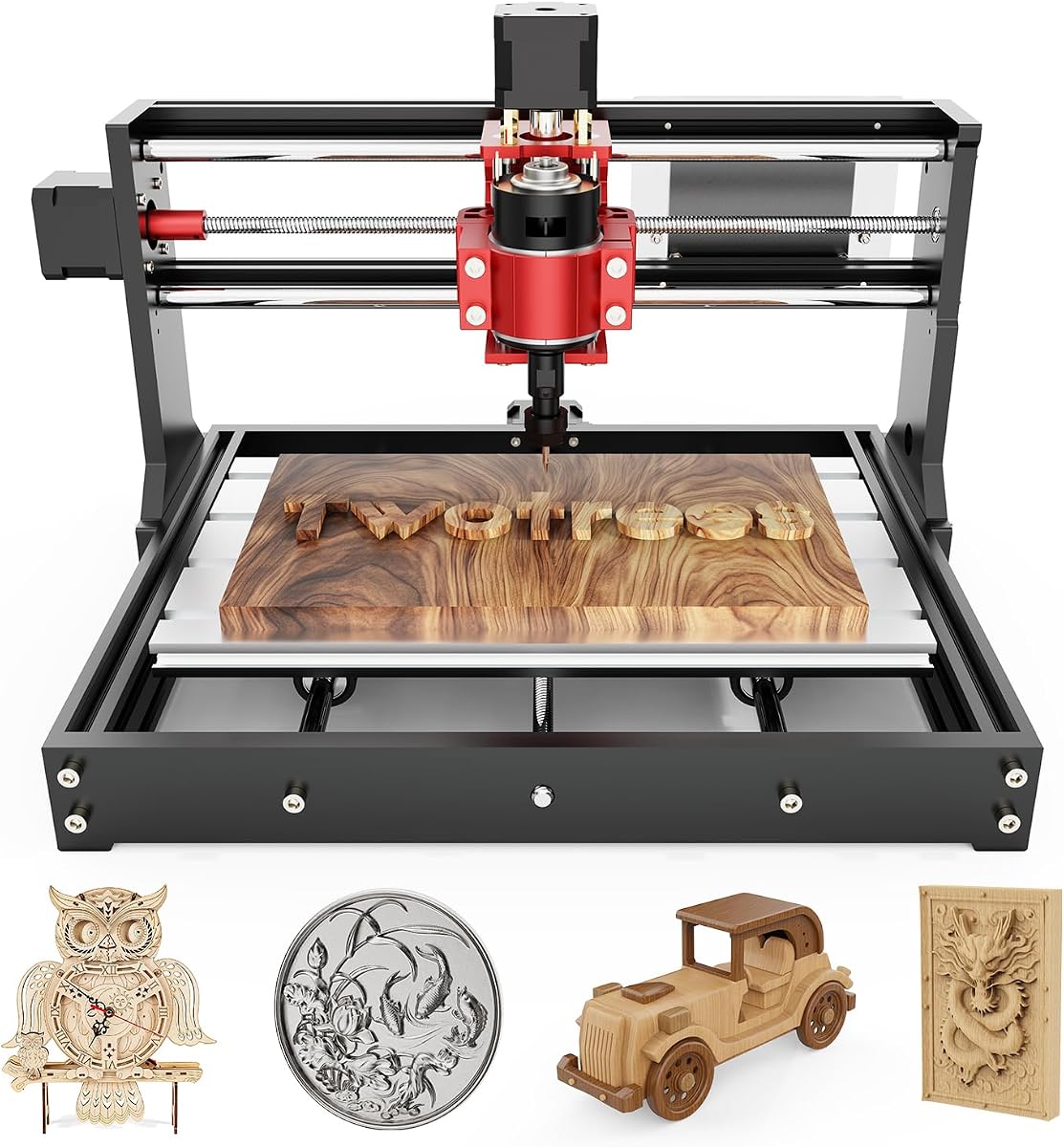
The Twotrees TTC3018 Pro is a compact beginner desktop CNC engraving machine—not a palm router, not a table lift, and not a full-sheet industrial CNC. With a roughly 300 x 180 x 40 mm work area, upgraded metal Z-axis, and GRBL USB control, it is a learn-to-carve platform for wood, acrylic, and light experiments. This review covers assembly lessons, accuracy claims, and who should size up instead.
The 3018 form factor is the gateway drug of desktop CNC: affordable, compact, and occasionally frustrating in educational ways. Twotrees’ TTC3018 Pro leans on an upgraded all-metal Z-axis with T8 backlash-reducing lead screws and a stated 0.1 mm positioning accuracy, aiming to feel less shaky than older nylon-Z toys. The machine lists at about 15 pounds with a roughly 420 x 355 x 280 mm overall size and a 300 x 180 x 40 mm working volume. That envelope is perfect for nameplates, coasters, small reliefs, and PCB-ish experiments—and too small for cabinet doors.
Control is intentionally simple: a 32-bit GRBL board with USB wired connection. Twotrees is explicit that this configuration is not a wireless toy—no TF-card-first lifestyle, no Bluetooth, no Wi‑Fi file drops—just G-code over the included USB cable on supported Windows (and often Mac workflows depending on your sender stack). That limitation is clarifying. You learn a direct tethered workflow instead of debugging five wireless failure modes on day one.
Kits typically include a 775 spindle in the 7000–9000 RPM neighborhood, an ER11 collet covering small cutter shanks, about ten standard cutters, and the hardware to assemble and tram your way into motion. Twotrees also leans into STEM education framing: dozens of precision components, learn XYZ principles while building. That is charming if you like Meccano-with-consequences; less charming if you wanted a pre-trammed appliance that only needs a power cord.
Materials: wood, acrylic, MDF, nylon, and carefully approached soft non-ferrous sheet when your fixturing and stepovers are sane. The metal Z helps, but the whole machine is still a light desktop chassis. Climb too hard in aluminum and you will invent chatter, broken cutters, and forum posts. Soft first projects teach more than heroic metals.
Who should buy the TTC3018 Pro? Students, hobbyists, and curious woodworkers who want to learn CNC toolpaths on a small budget and small bench. Who should skip it? Anyone who needs a handheld Craftsman/AVID-style router for doors tomorrow, anyone who needs a 450 mm-class bed for larger signs, and anyone allergic to assembly plus CAM homework. If your true goal is production aluminum parts, keep walking toward stiffer machines.
Daily habits that save grief: tram and recheck after moving the machine, clamp like a pessimist, set Z zero carefully, wear eye protection, and vacuum chips before they become a bearing smoothie. Start with a V-carve or shallow pocket in scrap pine. Learn stepdown. Then try acrylic. Save brass for later. Software-wise, Fusion 360, ArtCam, and GRBL senders all appear in the compatible conversation—pick one beginner path and stay there for a month.
Compared with the Twotrees TTC450 Pro, the 3018 Pro is the smaller classroom machine; the 450 is the bigger-bed sibling. Compared with a palm router, there is no comparison—different kingdoms. Verdict: buy the TTC3018 Pro to learn desktop CNC on a desk-friendly footprint. Do not buy it as a substitute for a woodworking handheld router or a router-table lift.
Who it's for
Beginners, students, and makers who want a compact CNC to learn GRBL, workholding, and light engraving/milling on small parts.
Who should skip it
Skip if you need handheld routing, a large sign bed, wireless file drops, or industrial rigidity. Size up or change categories instead of forcing the 3018.
Metal Z-axis & accuracy
The metal Z and T8 screws are the upgrade story versus nylon Z toys. Treat 0.1 mm claims as a starting expectation—mechanical setup and backlash still depend on your assembly quality.
USB GRBL workflow
Plan on a wired USB connection and G-code transfer. That simplicity is a feature for learning, even if wireless convenience is missing from this configuration.
- Small footprint fits a real desk corner
- Metal Z-axis upgrade vs flimsy nylon designs
- Complete starter cutter kit for first chips
- GRBL + USB is a known beginner pathway
- Useful STEM/assembly learning experience
- Small bed limits sign and panel size
- Wired USB only—no Wi‑Fi/Bluetooth in this config
- Still a learning CNC—not a handheld site router